For CC0 scene props, start with Poly Haven; for printing, use print-focused repositories. Animation needs a compatible rig or editable topology, and textured models need their material files. Use each listing’s creator, license and package details to choose the download.

Free 3D models: choose a file you can actually use
For scene props with straightforward reuse terms, start with Poly Haven. For a subject missing from that library, search Sketchfab or CGTrader and inspect the individual listing. For a physical print, use print-focused repositories instead: a detailed scene asset is not necessarily a solid printable object.
The three examples below give you a concrete starting point. We checked Poly Haven’s official catalog, file manifests and CC0 policy on October 21, 2026. This is a source and package check; we have not imported these assets or tested their appearance in a game engine.
Find a resource for the job you need to finish
Choose the destination first, then narrow the license, format and package contents. “Free” is a price filter, not a permission or compatibility filter. The checks below work even when a library uses different filter labels: if a filter is unavailable, verify the same field on the listing before downloading.
| Your download task | Starting library or route | Filter or verify before download | Skip this candidate when… |
|---|---|---|---|
| A prop for a commercial game | Poly Haven for a CC0 scene prop; Sketchfab or CGTrader for a specific subject | Download available; commercial-use permission; a format supported by your engine; included texture maps and geometry details | It is preview-only, non-commercial, or relies on a renderer-specific material you cannot recreate. |
| A model to print at a known size | The print-focused repository guide | STL or a supported 3MF package; intended dimensions; assembly, support and license notes | The listing only offers a rendered scene, or the intended dimensions and separate parts cannot be established. |
| A character to pose or animate | A Sketchfab or CGTrader listing with explicit rig details; the avatar guide for VRChat | Rigged and skinned, not just “character”; target application/version; included clips or facial shapes if needed | You need ready-to-use animation but the package contains only a static mesh. |
| An asset without an attribution requirement | Poly Haven’s CC0 model collection | Original asset page and applicable CC0 policy; creator and source record; separate subject-right questions | The only license evidence is a mirror’s “free” label, or your project needs rights the license does not establish. |
| A textured model for a scene | Poly Haven’s documented packages or a listing with a file manifest | Receiving application support; texture resolution; UVs, material files and companion buffers | The package omits dependencies, or you only have an STL when the task requires textures. |
Keep two candidates until the package check is complete. For example, a free OBJ character without skin weights is not a substitute for a rigged FBX character just because both thumbnails show the same pose. Likewise, a textured apple for a render and an apple-shaped printable container are different searches. Start with the subject plus the required deliverable, then reject incompatible files before comparing visual detail.
Game assets: check the target engine
A furnished scene can use a wooden table as a background prop without needing a rig. A pick-up item may also need a useful origin, collision representation and consistent scale. Decide the interaction before choosing the download.
For a candidate asset, import into a clean scene and examine it at its final size. Count material slots and inspect whether the silhouette justifies its geometry. Use the engine’s own profiler to judge runtime cost; this page supplies no universal polygon or texture budget. Preserve a source copy before simplifying it in Blender.
3D printing models: start with a solid
Prefer a design whose listing explains intended dimensions, assembly and any printer-specific assumptions. A detailed game prop can rely on single-sided surfaces and painted detail that will not become a physical wall.
After downloading an STL, inspect it in the viewer and compare its dimensions with your printer’s usable space. If it is too large, consider orientation or the model-splitting workflow. These checks do not repair holes or establish printability; finish with the slicer’s layer preview.
Animation assets: a mesh is not a rig
A static human or animal model may have no bones, skin weights or animation clips. Ask the listing to state which are included and the application/version they target. For facial animation, also check the required expressions or blend shapes rather than inferring them from a face render.
Try the poses your shot needs, including bent joints and silhouettes visible to camera. For a VRChat upload, use the narrower avatar package guide because a general rigged character is not automatically a ready-to-upload avatar. We have not imported or deformation-tested the third-party assets discussed here.
CC0 resources: keep the source record
Poly Haven publishes a CC0 asset policy, rechecked October 22, 2026. The three examples below retain their original author and download-package records from October 21. CC0 addresses the asset’s copyright permission; it does not resolve every separate trademark, privacy or subject-right issue.
Save the original URL, creator, license text and download date with the project. This is useful even when attribution is optional. A random mirror labelled “free” is not equivalent to the creator’s license record.
Textured models: keep the package together
For OBJ, a model can depend on a separate MTL file and images. A glTF download may also need external buffers and textures. Check the manifest and archive before moving only one file into your project.
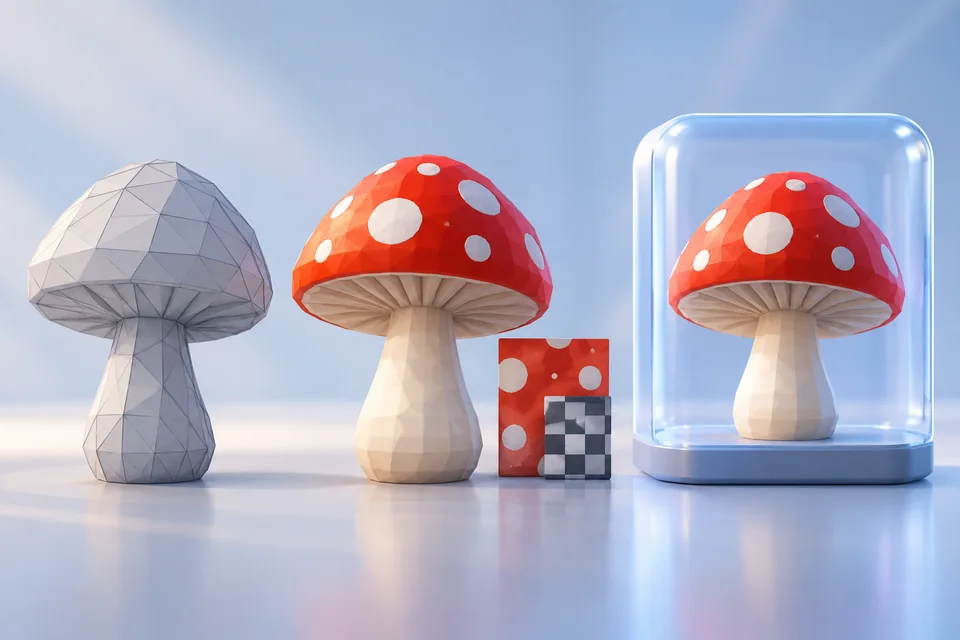
Our STL/OBJ/GLB round-trip example includes source files and an executed Blender check: its checker texture survives the supplied OBJ package and GLB, but not STL. That demonstrates one reproducible package, not universal support for every downloaded material. Missing textures, unexpected gloss and wrong scale require different fixes.
Three free assets for different scenes
| Original asset and creator | Where it may fit | Files listed at the source | Inspect before committing |
|---|---|---|---|
| Food Apple 01 — Oliver Harries | A fruit bowl, kitchen scene or small still life | Blender, glTF, FBX and USD; 1K–8K texture choices | Silhouette and stem at your intended camera distance; choose texture size for that view. |
| Watering Can Metal 01 — Charles Nderitu | A garden, shed or outdoor prop scene | Blender, glTF, FBX and USD; 1K–8K texture choices | Handle and spout geometry; metallic and roughness interpretation in your renderer. |
| Small Wooden Table 01 — Ulan Cabanilla | An interior scene that needs a small piece of furniture | Blender, glTF, FBX and USD; 1K–4K texture choices | Legs, underside and scale against the rest of the room. |
These are editorial use suggestions, not a quality ranking. All three are listed under Poly Haven’s asset license. Follow each original page for the current download options; this site does not rehost the files. The texture-resolution choices describe the supplied maps, not a measured rendering speed or a guarantee of close-up quality.
Choose the Blender package when you want a native starting scene, or a supported exchange format for another application. Keep any companion textures and buffers with the downloaded model. A glTF package should not be assumed to be one self-contained GLB file.
Poly Haven: a clear license and a known package
Poly Haven’s CC0 policy permits asset reuse without an attribution requirement, though preserving the creator and source is useful for your own records. The policy applies to its assets; it does not make the site’s branding or every depicted trademark yours to use.
Start with a moderate texture resolution and inspect the object at its actual size in the final view. An 8K map on a distant apple can add memory cost without improving the image. Save the source page and the downloaded package together so another person can trace the asset later.
Sketchfab: a preview is not a download entitlement
Sketchfab’s downloadable-model route is useful when you want to inspect a subject interactively. A viewable model may have no download at all, or may direct you to a different marketplace. Read the current listing rather than assuming that the preview includes a usable file.
Check the creator, license, included formats and whether the package contains the materials or rig you need. Rotate underneath the model and inspect openings before downloading. The embedded viewer can show a polished result without proving that every dependency will arrive in your package.
CGTrader: narrow the subject, then inspect the seller’s files
CGTrader’s free directory sits alongside paid listings. Search for the object and the required format, then read the individual offer. Formats, textures and reuse rights can differ between sellers.
For a background prop, low delivery cost may matter more than fine detail. For animation, topology, skin weights and the required rig matter more than the thumbnail. Do not treat a free download as permission to redistribute the original files in another asset pack.
Before importing the package
- Save the original listing, creator, license and file version or download date.
- Choose the format your receiving application supports; keep textures and companion files together.
- Check scale, orientation and material assignments in a clean scene.
- Inspect the silhouette and important small details at the final camera distance.
- Keep an untouched copy before reducing geometry or changing materials.
If textures disappear, check paths and the OBJ/MTL or glTF package structure before assuming the mesh is broken. Poly Haven and ambientCG also provide CC0 material resources when you need a different surface. Connect each map to the matching shader input; roughness is not a color texture.
When a general model is the wrong download
For a print, choose a source with closed geometry, intended dimensions and maker instructions. Our STL repository guide shows how to trace the original 3DBenchy listing and inspect a download before slicing.
For a character you want to upload, start with the VRChat package guide. A static character mesh and a prepared avatar solve different jobs. For deliberate geometry changes, keep the source and use a mesh editor such as Blender.
Can I use free 3D models commercially?
Only under the applicable license and any separate rights attached to the subject. CC0 assets, attribution-licensed assets and non-commercial downloads have different conditions. Price alone does not settle permission.
Are high-polygon free 3D models always better?
No. Extra geometry helps only when it supports the silhouette, deformation or visible detail your project needs. Choose the asset that reduces your finishing work, not the largest download.
Return to the 3D model resources directory to choose another asset category.
Research method & official sources
Initial source review . This page uses official documentation; later source checks and any executed file examples are dated and scoped in the text. We have not benchmarked AI generation quality or performed physical print tests.
- Food Apple 01 — original asset ↗
- Watering Can Metal 01 — original asset ↗
- Small Wooden Table 01 — original asset ↗
- Poly Haven license ↗
- Sketchfab downloadable models ↗
- CGTrader free models ↗
- ambientCG license ↗
Read our editorial and affiliate standards. Product recommendations do not depend on an affiliate relationship.